Manuals - Plugin activation
Manual - Activating Balíkovo in the Neoship add-on for Shoptet
Installing the map of SPS pickup points = Balíkovo in the e-shop basket as described in this manual is only possible for clients of NEOSHIP s.r.o. who also have the Neoship add-on activated in Shoptet.
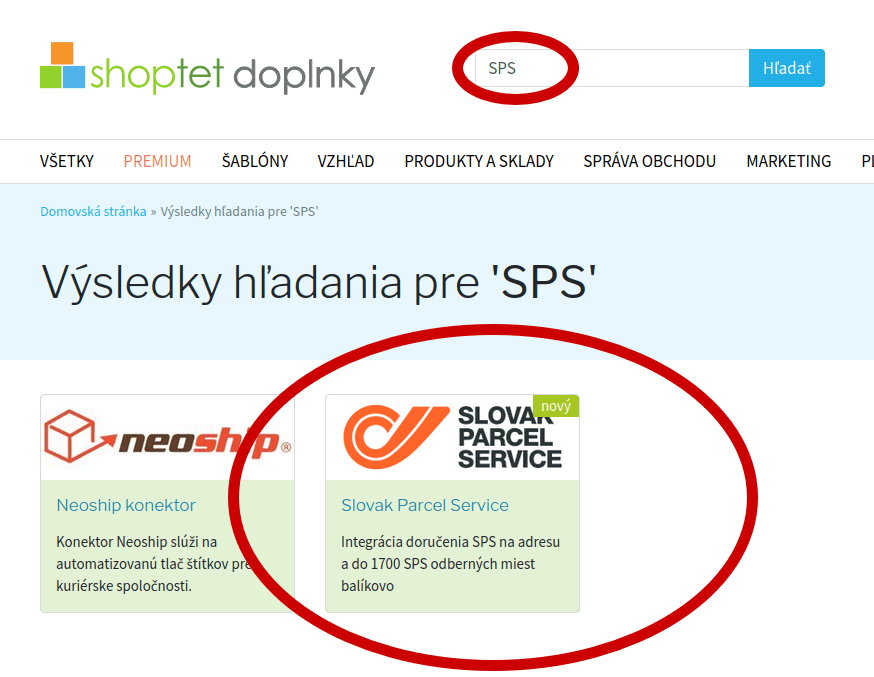
1. In the Shoptet administration, search for SPS among the Shoptet add-ons. Open it and click „objednať doplnok“ (order add-on):
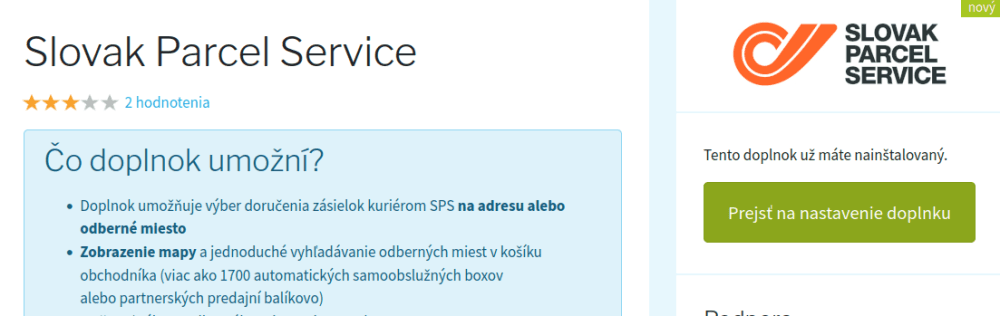
2. Then click „prejsť na nastavenie doplnku“ (go to the add-on settings):
3. In the settings, these options have to be selected and ticked (leave the first two rows empty):
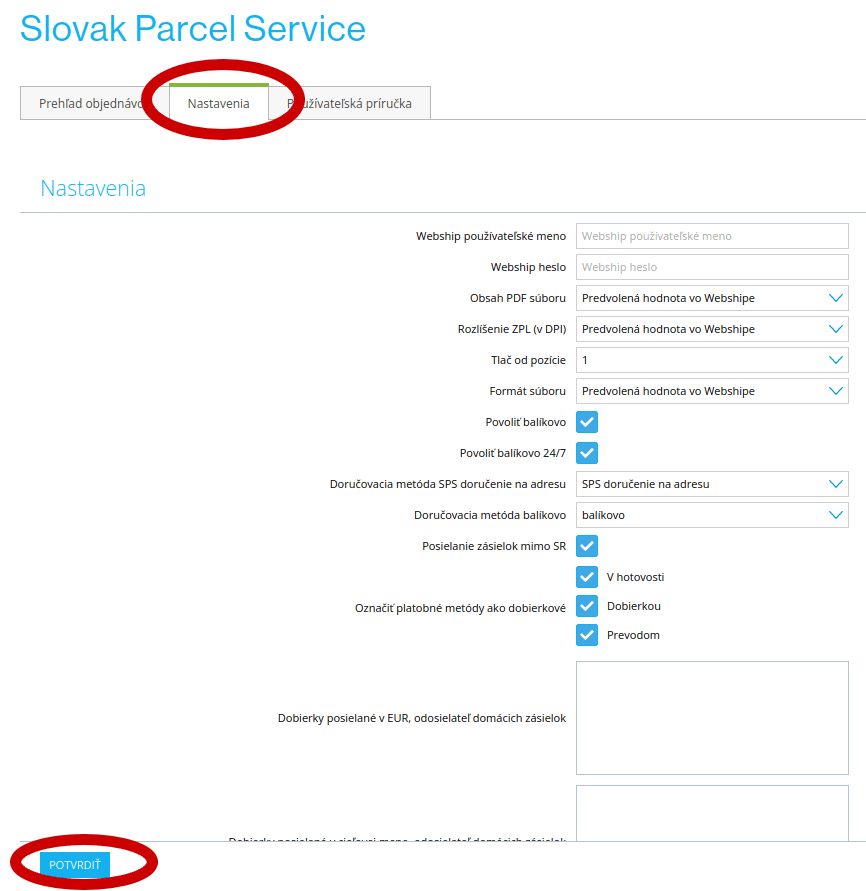
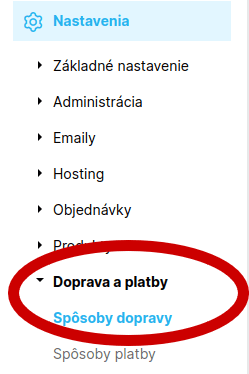
4. Then go to the shipping settings so that delivery to Balíkovo appears in the basket:
5. Among the shipping methods find „balíkovo“ and click the „x“, which activates this delivery method:
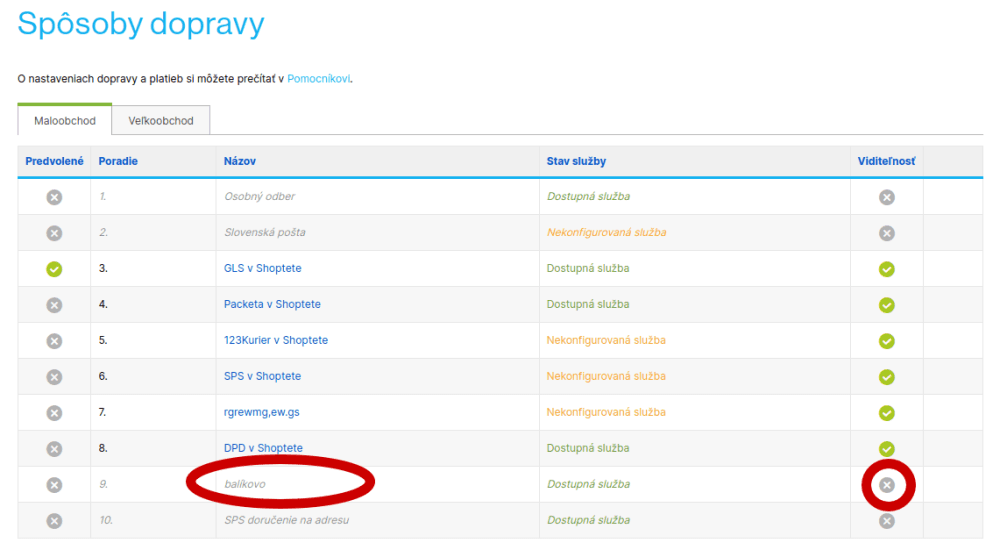
The carrier becomes active and the X is replaced by a confirmation icon:

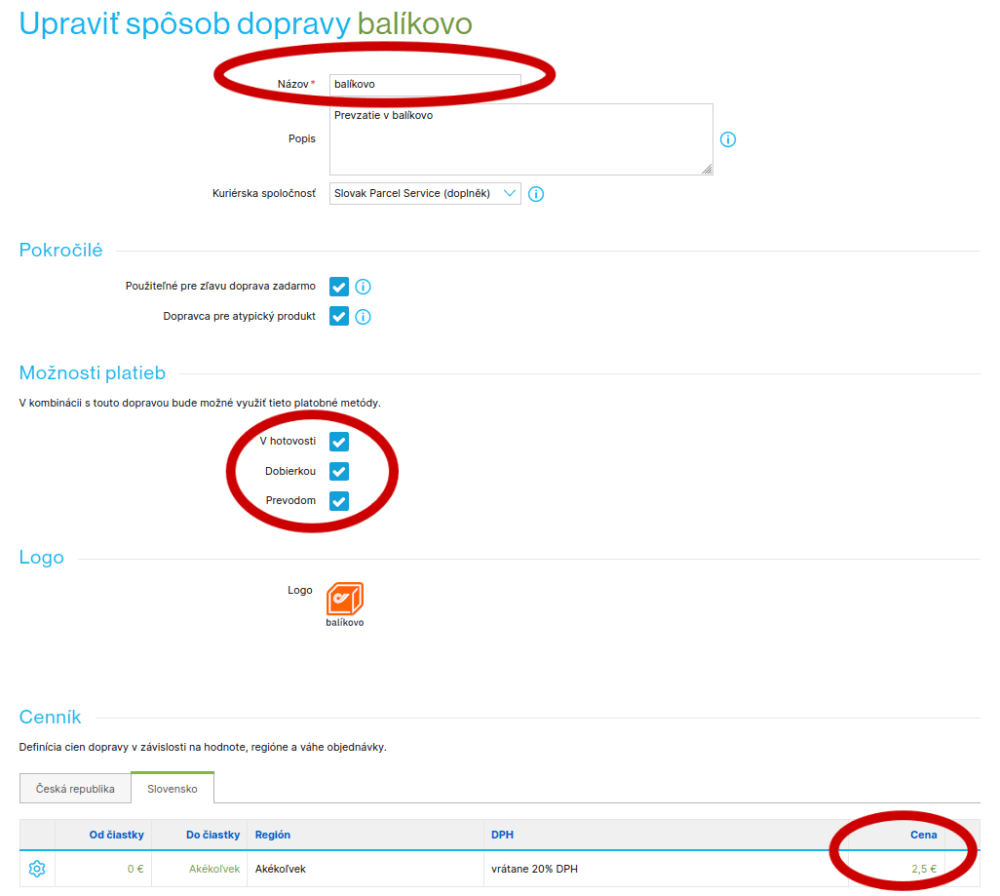
6. Click „balíkovo“ and, if you wish, change the name, select the payment options, choose Slovakia in the price list and set the price that will be shown in the basket:
That is everything that needs to be set up in Shoptet.
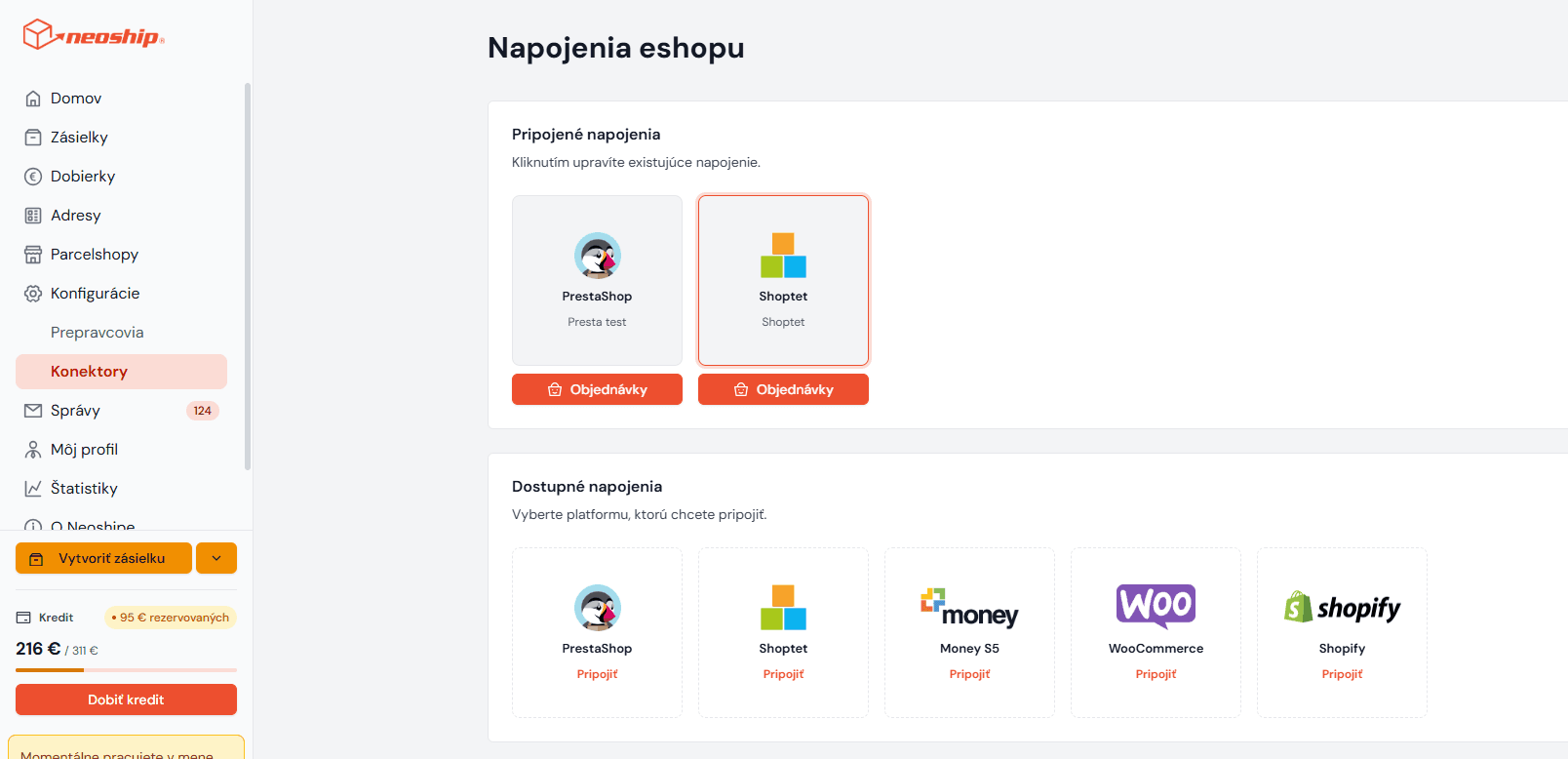
7. In the side bar of the Neoship application click Konfigurácie - Konektory and click Shoptet:
8. Click „pridať mapovanie“. An empty row opens. From the options on the left choose SPS. From the options on the right choose the balíkovo shipping method and save:

9. Everything is now ready for you to import orders with delivery to Balíkovo straight into Neoship and generate shipping labels for them in bulk.